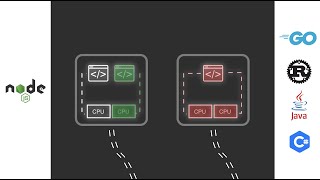
 8:18
8:18 What Is npm?
Node Package Manager
npm is the default package manager for Node.js and the world's largest software registry with over 2 million packages. It handles installing dependencies, running scripts, and publishing packages. Every JavaScript project uses npm (or alternatives like pnpm and yarn).
How npm Works
npm install react adds React to your project and records it in package.json. npm run build executes the build script. npm publish shares your package with the world. The npm registry hosts everything from React to tiny utility functions.
Key Concepts
- package.json — The manifest file listing your project's dependencies, scripts, and metadata
- node_modules — Directory where npm installs packages — can be enormous but is gitignored and regenerated from package.json
- Semantic Versioning — Version numbers like 2.1.3: major.minor.patch — breaking.feature.bugfix
Learn npm — Top Videos


npm Educators

Traversy Media
@traversymedia
AI Coding
Traversy Media features the best online web development and programming tutorials for all of the latest web technologies...
2.4M Subs
1K Videos
72.8K Avg Views
5.87% Engagement
Net Ninja
@netninja
AI Coding
Black-belt your web development skills. Over 2000 free programming tutorial videos about: - Modern JavaScript (beginner...
1.9M Subs
2.8K Videos
17.9K Avg Views
1.4% Engagement
LearnCode.academy
@learncodeacademy
Web Dev
100% FREE Web Development tutorials, web site design tutorials and more. Including, but not limited to: HTML, CSS, Java...
774K Subs
168 Videos
79.8K Avg Views
2.81% Engagement
Frequently Asked Questions
npm vs pnpm vs yarn?
npm is the default and requires no extra installation. pnpm is faster and more disk-efficient. yarn (Berry) has Plug'n'Play for zero node_modules. Use pnpm for monorepos and speed; npm for simplicity.
What is npx?
npx runs packages without installing them globally. npx create-react-app my-app downloads and runs the tool once. It keeps your system clean and always uses the latest version.
Want a structured learning path?
Plan a npm Lesson →