 11:53
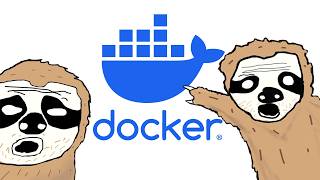
11:53 The Only Docker Tutorial You Need To Get Started The Coding Sloth
1.4M views · 59.2K likes · 1 year ago
Docker Containerization Platform
Docker is a platform for building, running, and distributing containerized applications. A Docker container packages your code with all its dependencies into a standardized unit that runs identically everywhere — your laptop, your teammate's laptop, CI, staging, and production.
You write a Dockerfile that describes your app's environment: base image, dependencies, code, and start command. Docker builds an image from this file. You run the image as a container. Share the image via Docker Hub or a private registry. It works everywhere.
Docker Compose lets you define multi-container applications in a YAML file. Run docker compose up and your app, database, cache, and any other services start together with proper networking. This is the standard for local development environments.
Docker revolutionized deployment by solving 'it works on my machine.' The same container image runs in development, CI, staging, and production. No more environment drift, dependency conflicts, or configuration surprises.
Docker is a foundational DevOps tool. Every cloud platform runs containers. Every CI/CD pipeline builds container images. Learning Docker is essential for any developer who deploys applications.
FROM node:20-alpine
WORKDIR /app

# Install dependencies first (layer caching)
COPY package*.json ./
RUN npm ci --production

# Copy source code
COPY . .

EXPOSE 3000
CMD ["node", "server.js"]

# docker-compose.yml
# services:
#   app:
#     build: .
#     ports: ["3000:3000"]
#   db:
#     image: postgres:16
#     environment:
# POSTGRES_PASSWORD: secret 4:44:21
  10:07
10:07  52:48
52:48  1:03:14
  1:11:40
@techworldwithnana
AI-Era DevOps Masterclass — Sept 13 👇 Helping millions of engineers to advance their careers with DevOps & Cloud educa...

@amigoscode
Helping developers land jobs, get promoted, and become world-class engineers. I'm Nelson (Amigoscode) — I teach Java, S...
@learncodeacademy
100% FREE Web Development tutorials, web site design tutorials and more. Including, but not limited to: HTML, CSS, Java...
@kodekloud
Join 1M+ learners mastering DevOps and Cloud technologies through KodeKloud's revolutionary Learn-By-Doing approach. Our...

@in28minutes
Helping 1 Million Learners learn Cloud and DevOps. AWS, Azure, Google Cloud, Docker, Kubernetes, Spring, Spring Boot, Mi...
@javatechie
Welcome to Java Techie, your ultimate guide to cutting-edge technology! 🚀 Explore the realms of Core Java (versions 7,...
Strongly recommended. Docker ensures consistent environments across your team and matches production. Docker Compose lets you run databases, caches, and services locally without installing them on your machine.
Docker containers share the host OS kernel — they're lightweight (MBs), start fast (seconds), and use less resources. VMs include a full OS — they're heavier (GBs) and slower to start (minutes). Use containers for applications, VMs for OS-level isolation.
Start with Dockerizing a simple web app (write a Dockerfile, build, run). Then use Docker Compose for multi-service setups. Then learn image optimization (multi-stage builds, layer caching). Practice with your own projects.