 11:53
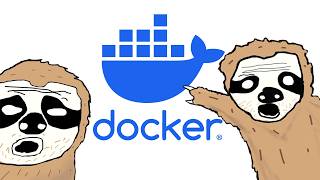
11:53 The Only Docker Tutorial You Need To Get Started The Coding Sloth
1.4M views · 59.2K likes · 1 year ago
Software Container
A container is a lightweight, standalone package that includes everything needed to run a piece of software — code, runtime, libraries, and system tools. Containers ensure your application runs identically everywhere: your laptop, your colleague's machine, staging, and production.
Containers solve 'it works on my machine.' You define your environment in a Dockerfile, build an image, and run it anywhere Docker runs. Unlike virtual machines, containers share the host OS kernel, making them lightweight (megabytes vs gigabytes) and fast to start (seconds vs minutes).
Docker is the standard container runtime. Docker Compose manages multi-container applications locally. Kubernetes orchestrates containers at scale in production. Container registries (Docker Hub, ECR, GHCR) store and distribute container images.
Containers are the standard for modern deployment. Most CI/CD pipelines build container images. Most cloud platforms run containers. Even serverless platforms like AWS Lambda use containers under the hood. Learning Docker is essential for any backend or DevOps developer.
11:53  4:44:21
  10:07
10:07  52:48
52:48 
@techworldwithnana
AI-Era DevOps Masterclass — Sept 13 👇 Helping millions of engineers to advance their careers with DevOps & Cloud educa...

@amigoscode
Helping developers land jobs, get promoted, and become world-class engineers. I'm Nelson (Amigoscode) — I teach Java, S...
@learncodeacademy
100% FREE Web Development tutorials, web site design tutorials and more. Including, but not limited to: HTML, CSS, Java...
@kodekloud
Join 1M+ learners mastering DevOps and Cloud technologies through KodeKloud's revolutionary Learn-By-Doing approach. Our...
VMs virtualize entire operating systems (heavy, minutes to boot). Containers share the host OS kernel and only package the application (lightweight, seconds to start). Containers are more efficient for most application workloads.
Not required, but highly recommended. Docker ensures consistent environments across team members and matches production. Docker Compose lets you run complex setups (app + database + cache) with a single command.